

Create, print and share unforgettable event moments.
A complete family of Windows applications for Magic Mirrors, photo booths, social printing and high-volume event photography — designed to be flexible, reliable and easy to operate.
Everything your guests expect. Everything your team needs.
From the first touch on the screen to the final print or WhatsApp message, our applications help you run a polished guest experience without a complicated workflow.
Brand every moment
Use unlimited custom frames, overlays and event artwork to deliver a consistent branded experience.
Print instantly
Work with popular photo formats, strips and professional event printers without locking yourself into one brand.
Share in seconds
Let guests receive photos through QR code, email or WhatsApp — with offline queues when connectivity is unreliable.
Choose your hardware
Operate by touchscreen, mouse, keyboard or physical pushbutton and use compatible webcams or DSLR cameras.
Keep events moving
Each paid rental or lifetime licence includes an additional backup licence for operational resilience.
Get real support
Use our tutorials, FAQ and technical support resources whenever you need help configuring your setup.
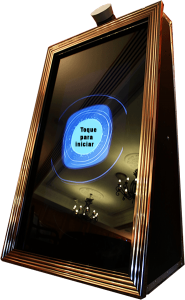
Magic Mirror software that turns every guest into the star.
Build an interactive Selfie Mirror experience with animated prompts, voice guidance, signatures, emojis, games and instant photo delivery. Customise the journey for weddings, corporate activations, parties and permanent installations.
- 36 animated interactions with voice commands in English, Italian, Spanish and Portuguese
- Professional camera or webcam capture with live-view support on compatible models
- Digital signatures, neon glow effects, emoji stamps and multitouch
- Instant prints plus delivery through QR code, email and WhatsApp
- AI effects for creative photo transformations, available from August 2026
- Optional big-screen slideshow for TVs, monitors and projectors
- Optional LED-ring, bill-validator and credit-card integrations




Compare Magic Mirror editions
| Feature | Lite | Premium | Professional |
|---|---|---|---|
| Animated interactions, printing, frames and overlays | ✓ | ✓ | ✓ |
| Signatures, neon effects, multitouch, emojis and games | ✓ | ✓ | ✓ |
| QR code, email and WhatsApp sharing | ✓ | ✓ | ✓ |
| Offline sending queue | ✓ | ✓ | ✓ |
| Big-screen slideshow module | Optional | Optional | Optional |
| Bem na Cabine watermark on local photos/email | Included | Removed | Removed |
| Bill validator / credit-card module support | — | ✓ | ✓ |
| Webcam support | ✓ | ✓ | ✓ |
| DSLR / mirrorless camera support | — | — | Professional only |
| Technical support | ✓ | ✓ | ✓ |
Important: Lite photos and animations include our watermark. Big-screen slideshow and payment integrations are separate modules and may carry an additional cost.
Full printer and camera compatibility list
Applies to: DSLR and mirrorless camera support in the Professional editions of Magic Mirror and Photo Booth. Webcam support is available in all editions.
Print formats: 4×6 in (10×15 cm / A6); 2×6 in / 5×15 cm strips; 6×8 in / 15×20 cm; and 7×5 in / 18×13 cm, using a compatible printer and driver.
Compatible webcam models include: Logitech C920, Logitech C922, Logitech C920e, Logitech C925e and Logitech BRIO Ultra HD 4K, as well as other standard and HD webcams supported by Windows.
Complete Canon and Nikon camera model list
Compatible Canon camera models
- Canon EOS-1D Mark III
- Canon EOS-1D Mark IV
- Canon EOS-1D X Mark II
- Canon EOS 100D (Rebel SL1)
- Canon EOS 1000D (Rebel XS)
- Canon EOS 1100D (Rebel T3)
- Canon EOS 1200D (Rebel T5)
- Canon EOS 1300D (Rebel T6)
- Canon EOS 200D (Rebel SL2)
- Canon EOS 2000D (Rebel T7)
- Canon EOS 40D
- Canon EOS 450D (Rebel XSi)
- Canon EOS 4000D
- Canon EOS 5D Mark III
- Canon EOS 5D Mark IV
- Canon EOS 50D
- Canon EOS 500D
- Canon EOS 550D
- Canon EOS 6D
- Canon EOS 6D Mark II
- Canon EOS 60D
- Canon EOS 600D
- Canon EOS 7D
- Canon EOS 70D
- Canon EOS 77D
- Canon EOS 700D
- Canon EOS 760D
- Canon EOS 80D
- Canon EOS 800D
- Canon EOS 90D
- Canon EOS M
- Canon EOS M50
- Canon EOS M5
- Canon EOS M6
- Canon EOS M6 Mark II
- Canon EOS M100
- Canon EOS M200
- Canon EOS R
- Canon EOS RP
- Canon PowerShot SX70 HS
- Canon PowerShot G5 X Mark II
- Canon PowerShot G6
- Canon PowerShot G7 X Mark III
- Canon PowerShot G9
Compatible Nikon camera models
- Nikon Coolpix L830
- Nikon Coolpix 5400
- Nikon Coolpix S5300
- Nikon Df
- Nikon D33
- Nikon D3s
- Nikon D3x
- Nikon D300
- Nikon D300S
- Nikon D3000
- Nikon D3100
- Nikon D3200
- Nikon D3300
- Nikon D3400
- Nikon D3500
- Nikon D4
- Nikon D40
- Nikon D5
- Nikon D500
- Nikon D5000
- Nikon D5100
- Nikon D5200
- Nikon D5300
- Nikon D5500
- Nikon D5600
- Nikon D60
- Nikon D600
- Nikon D610
- Nikon D700
- Nikon D7000
- Nikon D7100
- Nikon D7200
- Nikon D750
- Nikon D7500
- Nikon D80
- Nikon D800
- Nikon D800E
- Nikon D810
- Nikon D810A
- Nikon D850
- Nikon D90
- Nikon FC
- Nikon Z30
- Nikon Z50
- Nikon Z6
- Nikon Z6 II
- Nikon Z7
- Nikon Z9
Models with camera-based live view support currently under testing
- Canon: EOS-1D Mark III, EOS-1D Mark IV, EOS-1D X Mark II, EOS 100D (Rebel SL1), EOS 1000D (Rebel XS), EOS 1100D (Rebel T3), EOS 1200D (Rebel T5), EOS 1300D (Rebel T6), EOS 200D (Rebel SL2), EOS 2000D (Rebel T7), EOS 4000D, EOS 5D Mark III, EOS 5D Mark IV, EOS 50D, EOS 500D, EOS 550D, EOS 6D, EOS 6D Mark II, EOS 60D, EOS 600D, EOS 7D, EOS 70D, EOS 77D, EOS 700D, EOS 760D, EOS 80D, EOS 800D, EOS 90D, EOS R and EOS RP.
- Nikon: Df, D33, D3s, D3x, D300, D300S, D3200, D3300, D3400, D3500, D4, D5, D500, D5000, D5100, D5200, D5300, D5500, D5600, D600, D610, D700, D7000, D7100, D7200, D750, D7500, D800, D800E, D810, D810A, D850, D90, FC, Z30, Z50, Z6, Z6 II, Z7 and Z9.
Important: We cannot guarantee full operation with every model, driver, firmware version or live-view implementation. Test your exact camera with the free trial before purchasing a Professional licence.
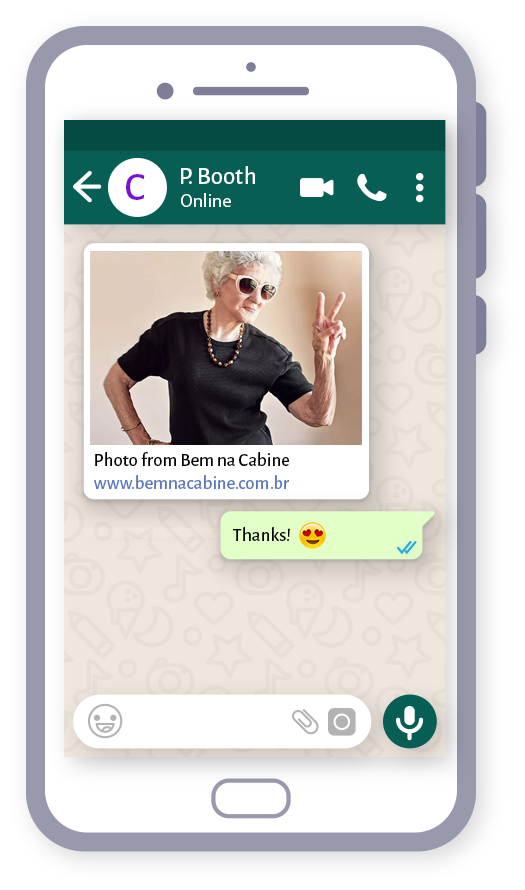
Guests leave with the photo — and your event stays shareable.
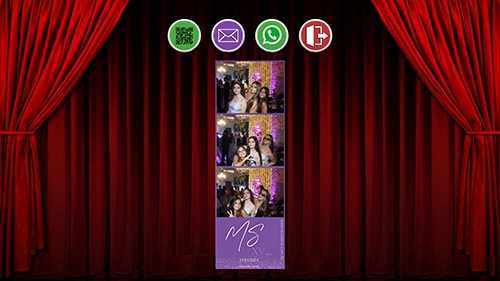
Offer the delivery method that works best for each event. Guests can scan a QR code, enter an email address or receive their image through WhatsApp. When internet access drops, supported applications can queue delivery for later.
WhatsApp delivery is available through customer-purchased sharing credits.
A streamlined photo booth workflow from capture to sharing.
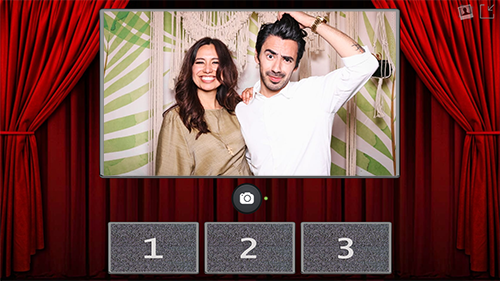
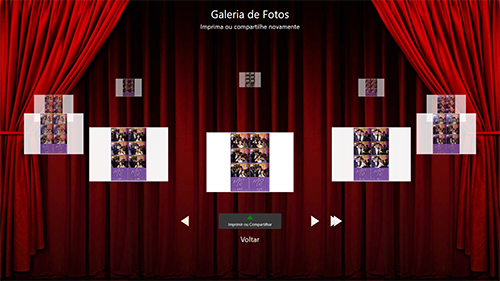
Ideal for traditional booths, towers and touchscreen kiosks. Guests can choose a frame, take their photos, browse the gallery, reprint favourites and share them without leaving the experience.
- Clean capture, gallery and sharing screens
- Unlimited frames and image overlays
- Password-protected gallery with touchscreen carousel navigation
- Touchscreen, keyboard, mouse and physical pushbutton controls
- Webcam support on all editions and DSLR support on Professional
- Optional big-screen slideshow for TVs, monitors and projectors
Capture screen
Gallery screen
Sharing screen




Compare Photo Booth editions
| Feature | Lite | Premium | Professional |
|---|---|---|---|
| Printing, frame selection and image overlays | ✓ | ✓ | ✓ |
| QR code, email and WhatsApp sharing | ✓ | ✓ | ✓ |
| Gallery, reprint and reshare | ✓ | ✓ | ✓ |
| Big-screen slideshow module | Optional | Optional | Optional |
| Bem na Cabine watermark on local photos/email | Included | Removed | Removed |
| Bill validator / credit-card module support | — | ✓ | ✓ |
| Webcam support | ✓ | ✓ | ✓ |
| DSLR / mirrorless camera support | — | — | Professional only |
| Technical support | ✓ | ✓ | ✓ |
The slideshow module for TVs, monitors or projectors and payment integrations are optional modules offered separately. Test camera compatibility with the trial before purchasing.
Full Photo Booth printer and camera compatibility list
Photo Booth camera compatibility: DSLR and mirrorless camera support is available in the Professional edition of Photo Booth. Webcam support is available in all Photo Booth editions.
Print formats: 4×6 in (10×15 cm / A6); 2×6 in / 5×15 cm strips; 6×8 in / 15×20 cm; and 7×5 in / 18×13 cm, using a compatible printer and driver.
Compatible webcam models include: Logitech C920, Logitech C922, Logitech C920e, Logitech C925e and Logitech BRIO Ultra HD 4K, as well as other standard and HD webcams supported by Windows.
Complete Canon and Nikon camera models supported by Photo Booth Professional
Compatible Canon camera models
- Canon EOS-1D Mark III
- Canon EOS-1D Mark IV
- Canon EOS-1D X Mark II
- Canon EOS 100D (Rebel SL1)
- Canon EOS 1000D (Rebel XS)
- Canon EOS 1100D (Rebel T3)
- Canon EOS 1200D (Rebel T5)
- Canon EOS 1300D (Rebel T6)
- Canon EOS 200D (Rebel SL2)
- Canon EOS 2000D (Rebel T7)
- Canon EOS 40D
- Canon EOS 450D (Rebel XSi)
- Canon EOS 4000D
- Canon EOS 5D Mark III
- Canon EOS 5D Mark IV
- Canon EOS 50D
- Canon EOS 500D
- Canon EOS 550D
- Canon EOS 6D
- Canon EOS 6D Mark II
- Canon EOS 60D
- Canon EOS 600D
- Canon EOS 7D
- Canon EOS 70D
- Canon EOS 77D
- Canon EOS 700D
- Canon EOS 760D
- Canon EOS 80D
- Canon EOS 800D
- Canon EOS 90D
- Canon EOS M
- Canon EOS M50
- Canon EOS M5
- Canon EOS M6
- Canon EOS M6 Mark II
- Canon EOS M100
- Canon EOS M200
- Canon EOS R
- Canon EOS RP
- Canon PowerShot SX70 HS
- Canon PowerShot G5 X Mark II
- Canon PowerShot G6
- Canon PowerShot G7 X Mark III
- Canon PowerShot G9
Compatible Nikon camera models
- Nikon Coolpix L830
- Nikon Coolpix 5400
- Nikon Coolpix S5300
- Nikon Df
- Nikon D33
- Nikon D3s
- Nikon D3x
- Nikon D300
- Nikon D300S
- Nikon D3000
- Nikon D3100
- Nikon D3200
- Nikon D3300
- Nikon D3400
- Nikon D3500
- Nikon D4
- Nikon D40
- Nikon D5
- Nikon D500
- Nikon D5000
- Nikon D5100
- Nikon D5200
- Nikon D5300
- Nikon D5500
- Nikon D5600
- Nikon D60
- Nikon D600
- Nikon D610
- Nikon D700
- Nikon D7000
- Nikon D7100
- Nikon D7200
- Nikon D750
- Nikon D7500
- Nikon D80
- Nikon D800
- Nikon D800E
- Nikon D810
- Nikon D810A
- Nikon D850
- Nikon D90
- Nikon FC
- Nikon Z30
- Nikon Z50
- Nikon Z6
- Nikon Z6 II
- Nikon Z7
- Nikon Z9
Models with camera-based live view support currently under testing
- Canon: EOS-1D Mark III, EOS-1D Mark IV, EOS-1D X Mark II, EOS 100D (Rebel SL1), EOS 1000D (Rebel XS), EOS 1100D (Rebel T3), EOS 1200D (Rebel T5), EOS 1300D (Rebel T6), EOS 200D (Rebel SL2), EOS 2000D (Rebel T7), EOS 4000D, EOS 5D Mark III, EOS 5D Mark IV, EOS 50D, EOS 500D, EOS 550D, EOS 6D, EOS 6D Mark II, EOS 60D, EOS 600D, EOS 7D, EOS 70D, EOS 77D, EOS 700D, EOS 760D, EOS 80D, EOS 800D, EOS 90D, EOS R and EOS RP.
- Nikon: Df, D33, D3s, D3x, D300, D300S, D3200, D3300, D3400, D3500, D4, D5, D500, D5000, D5100, D5200, D5300, D5500, D5600, D600, D610, D700, D7000, D7100, D7200, D750, D7500, D800, D800E, D810, D810A, D850, D90, FC, Z30, Z50, Z6, Z6 II, Z7 and Z9.
Important: We cannot guarantee full operation with every model, driver, firmware version or live-view implementation. Test your exact camera with the Photo Booth free trial before purchasing a Professional licence.
Turn event hashtags into prints guests can take home.
Collect eligible Instagram photos associated with your event workflow, browse them in a visual gallery and print selected images with your own branded frame. It is a simple way to connect online participation with a physical event keepsake.
- Visual thumbnail browser with multiple viewing sizes
- Zoom and review photos before printing
- Unlimited event frames and image overlays
- Full-screen and touchscreen operating modes
- Support for 4×6 in (10×15 cm) and 4×3 in Polaroid-style output (10×7.5 cm)
Medium thumbnails
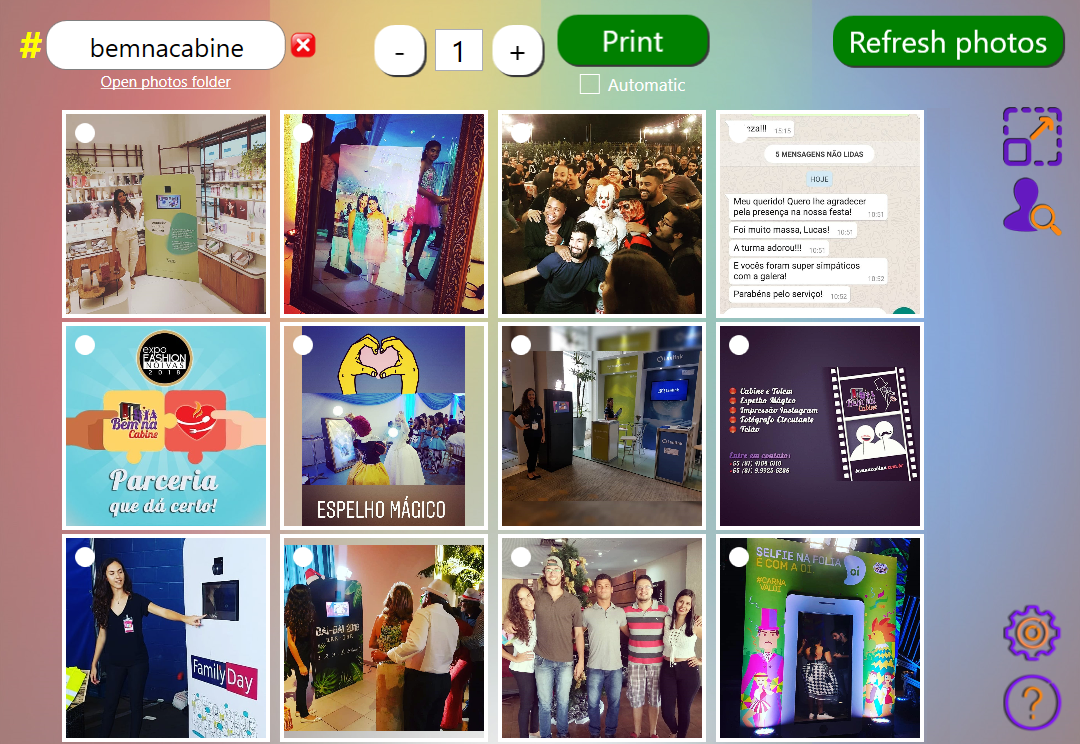
Large thumbnails
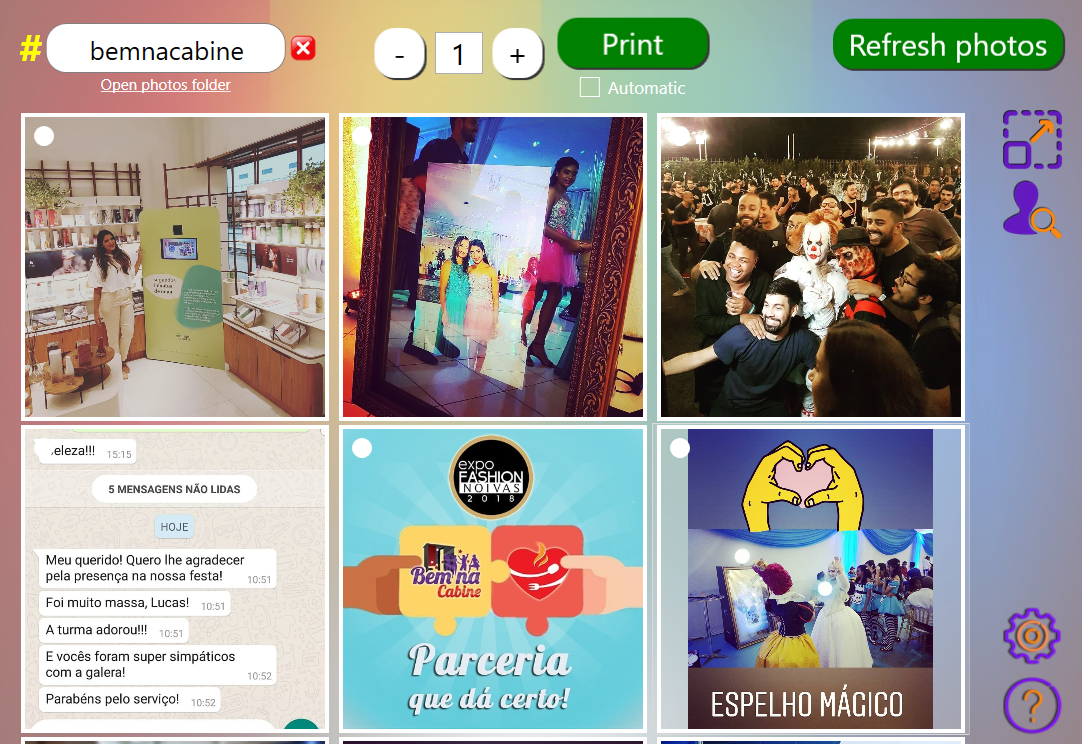
Photo preview
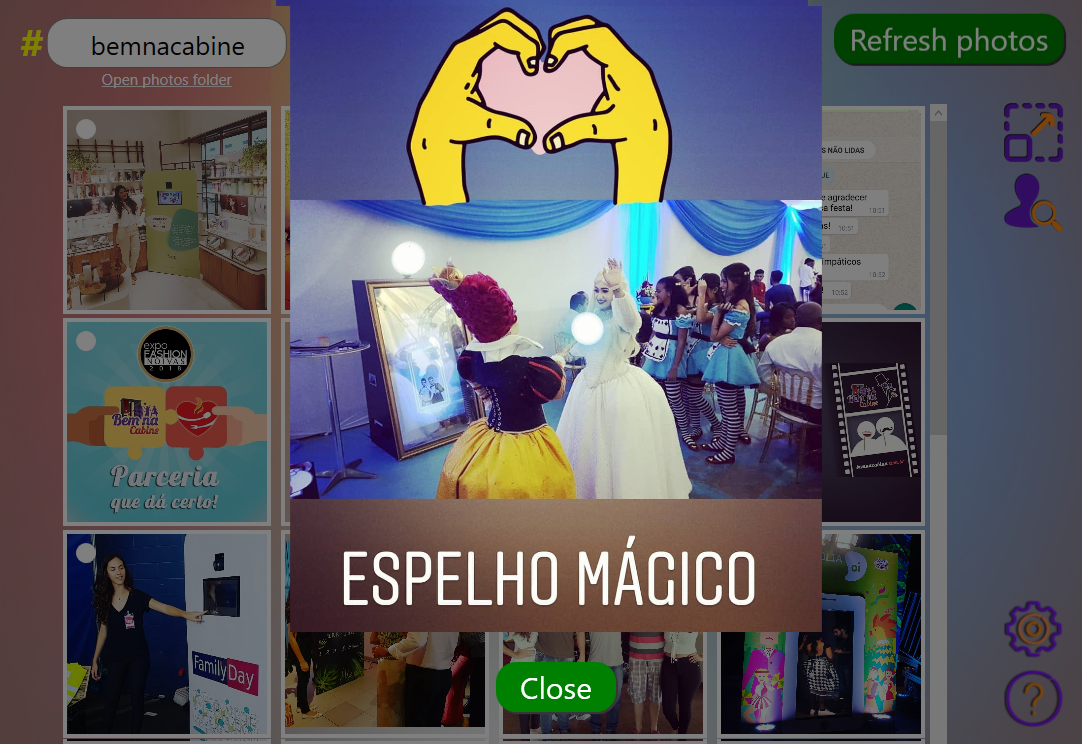

Bulk Print: hot-folder and wireless event photo printing software.
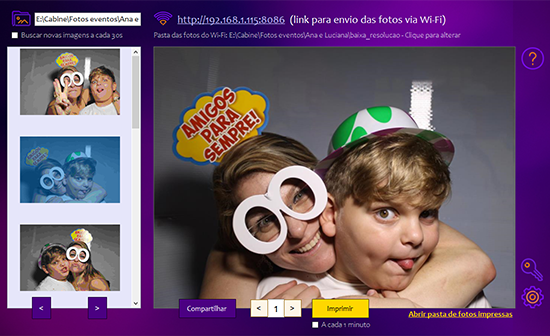
Automate on-site photo printing without interrupting the photographer. Bulk Print combines batch photo printing, hot-folder or watch-folder monitoring, wireless photo transfer over Wi-Fi, branded overlays and a guest-facing sharing station for QR code and WhatsApp delivery.
- Automatic hot-folder and watch-folder monitoring for incoming images
- Batch photo printing and an efficient event print queue
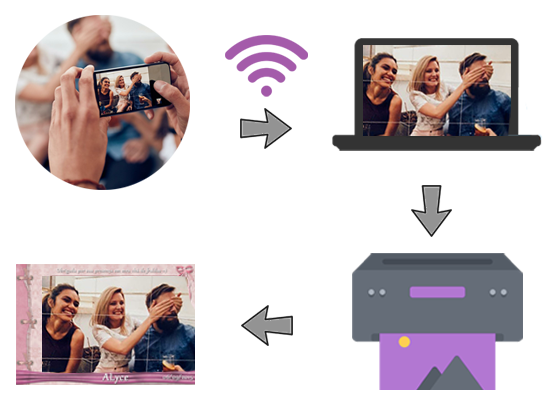
- Wireless photo transfer from operator or guest phones over Wi-Fi
- Branded event overlays for consistent on-site photo prints
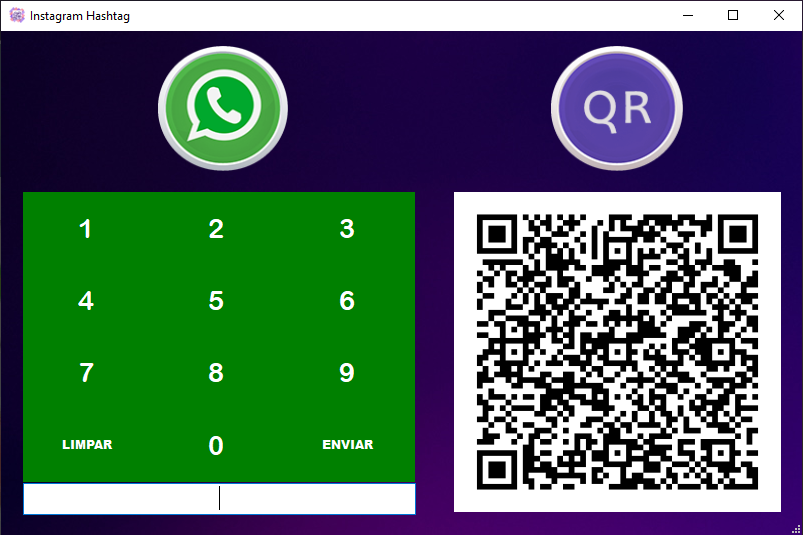
- Built-in QR code photo sharing and WhatsApp photo delivery
Main screen
Wi-Fi workflow
Sharing screen


Event photo printing, hot-folder automation and sharing workflow
Windows event photo printing software for busy on-site workflows
Bulk Print is designed for event photographers, photo booth operators and branded activations that need automatic photo printing while images continue arriving. It can work as hot-folder printing software, watch-folder printing software, a batch photo printer and a wireless event print station.
Photos can arrive from local folders or through Wi-Fi, receive an event frame or logo, enter the print queue and then be offered to guests through a QR code or WhatsApp sharing screen. This helps separate capture, printing and delivery so the photographer can keep shooting.
- Automatic event photo printing from monitored folders
- On-site batch printing for weddings, parties and corporate events
- Wireless image transfer and branded photo output
- Guest photo sharing station with QR code and WhatsApp delivery
Start small, scale up or own it for life.
Choose the commitment level that makes sense for your event calendar. Test the software first, licence it only when needed, or purchase lifetime access for regular use.
Free trial / Lite
Explore the workflow, test your hardware and start with the free Lite edition where available. Watermarks and edition limits apply.
Choose a downloadRental licence
Pay for the periods when you need the software. A practical option for occasional events, seasonal demand or testing a new service.
See rental optionsLifetime licence
Ideal for established operators with a regular event schedule who want long-term access without recurring rental decisions.
See lifetime optionsEach purchased rental or lifetime licence includes one additional backup licence, subject to the applicable licensing conditions.
Resources for setup, operation and troubleshooting.
Prepare before the event, test your exact hardware and keep the support links close whenever you change computers, cameras or printers.

Questions?
Browse our tutorials or review the frequently asked questions.

Control your costs
Use rentals for lighter demand or move to a lifetime licence when your event volume makes long-term ownership more economical.

Plan for the unexpected
A backup licence helps protect your operation from computer, operating-system or hardware problems close to an event.
Choose the right app for your workflow and start testing today.
Review the available applications, pick the one that matches your setup and test it with your own hardware before you commit.