


24
July
Epson Print Notifications: How to Disable?
Do you know those annoying Epson notifications that keep popping up when the printer is low on ink or when something is sent to print? You can get rid of them!
Epson Ecotank L380 / L120 / L395 / L1300 / L455 / L805 / L495 / L4160 / L800
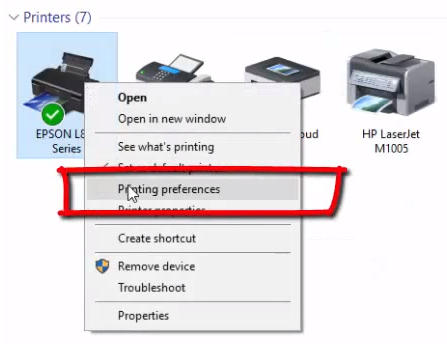
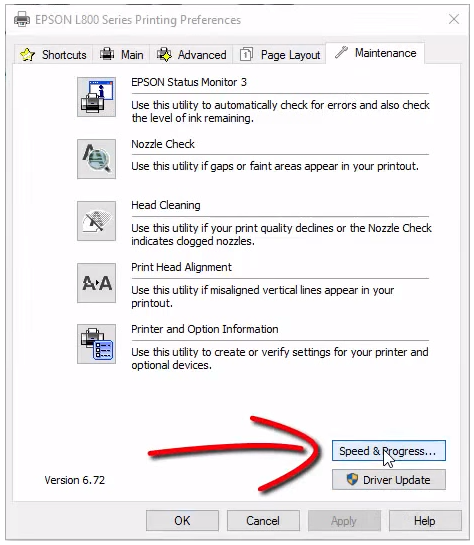
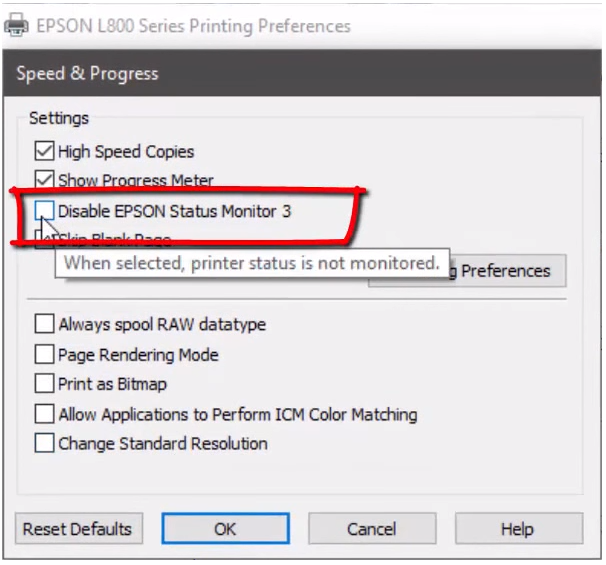
Access the Windows control panel > Printers > Right-click on your Epson > Print Preferences > “Maintenance” tab > Speed and Progress > Disable “Epson Status Monitor 3.”
Leave a Reply